Why AI Automation Fails UK SMEs (And What to Fix First)
AI automation fails when you automate patchy workflows. Fix sequencing, CRM hygiene and lead ownership first, then pause and switch on based on hard numbers. Tools only work on clean inputs.
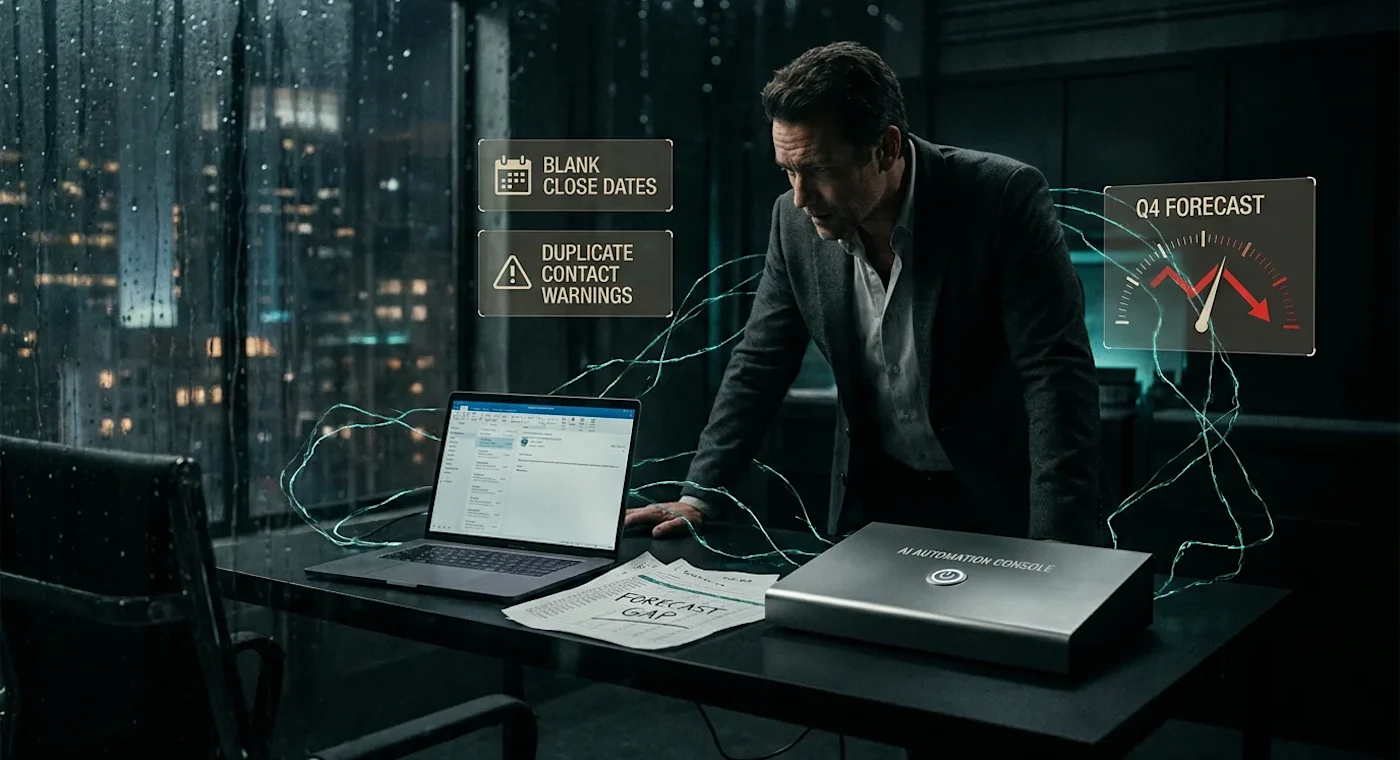
Your top rep is back in a spreadsheet. The new hire is copying notes from Outlook into the deal record. The forecast sitting in front of you for the board call has three deals with no close date and two contacts that were marked as duplicates last quarter. You bought AI tools to fix this. Instead, you are looking at the same mess, running faster.
The subscription your team is not using
The most common scene in a growing UK sales team is a paid AI tool sitting idle. Reps log in twice, decide the workflow costs them more time than it saves, and go back to email and spreadsheets within a fortnight. The invoice keeps going out. The behaviour does not change.
Each failed rollout teaches your reps to ignore the next one before it starts. That loss of trust does not show up on the invoice, but it shows up every time the team resists the next change. Every cancelled subscription raises the bar for the next change. The team learns to wait out new tools rather than learn them.
Why AI is making the chaos worse
The failure of AI automation for SMEs is rarely a technology problem. It is a sequencing problem. Most teams buy tools before they have a workflow worth automating, and the AI runs the broken process at higher speed.
An AI sequencer with bad lead data emails the wrong people faster. An enrichment tool layered on a dirty CRM creates more duplicates and fewer matches, because the matching logic was never given clean keys to work from. A forecasting model trained on deals with missing close dates produces a number nobody trusts. The tool is doing exactly what you asked. The inputs were broken.
The scale of the underlying problem is not small. A 2026 industry round-up of CRM hygiene puts the cost of dirty data at around 12 percent of revenue annually, with contact records decaying at roughly 30 percent per year and reps losing about a quarter of their time to bad data.[1] The exact figure in your business will vary, but no automation survives inputs like that intact. Some tools really are bad fits, and a proper diagnostic will tell you that too. Most of the time, the problem sits upstream of the software.
What a broken sales workflow looks like
The pattern repeats across the SMEs we see. Three sequencers running on a CRM where four in ten close dates are blank. A lead scorer reading from a contact table where a third of records are stale. A forecasting AI quoting numbers from a pipeline the sales lead does not personally believe. The diagnosis is not AI. It is a workflow problem dressed up as an AI problem.
The symptoms are familiar. Inbound leads sit for hours. Sometimes days. Industry benchmarks put the average inbound response time across businesses still relying on manual workflows at more than 42 hours, even though responding inside five minutes lifts conversion materially against a 30-minute delay.[2] Your sequencer cannot fix that if no one has defined who owns the lead in the first ten minutes. That is a routing and ownership problem the AI can only enforce once the rule exists.
The CRM tells the same story from a different angle. Updates happen at the end of the week, or the end of the quarter, or never. Deal stages mean different things to different reps. Close dates are aspirational. Notes live in inboxes. The pipeline report you take to the board is a debate, not a document.
Follow-up is patchy. Some prospects get five touches, some get one, some get a flurry the day before quarter-end. No rhythm, no SLA, no rule the AI can enforce, because no rule exists. This is the workflow you are pouring automation into.
The sequencing mistake most SMEs make with AI
The standard path looks like this. Leadership reads about AI, attends a webinar, buys two or three tools, and tells the team to adopt them. Adoption stalls. Leadership blames the team. The team blames the tools. The tools get cancelled. A year later, the same conversation starts again with different software.
The failure rate is consistent with the broader CRM record. A meta-review of CRM implementation studies puts failure rates somewhere between 30 and 70 percent depending on definition, with one more recent measure landing at 55 percent against original objectives.[3] AI layered onto those same implementations does not escape the underlying problem. It inherits it. Recent analysis of AI projects specifically reports that 42 percent of companies abandoned most of their AI initiatives in 2025, and 66 percent struggle to establish ROI metrics at all.[4]
The right sequence runs the other way. Diagnose the workflow first. Document the stages. Assign ownership. Clean the data and set rules that keep it clean. Then automate the parts that are repeatable, low-judgement and high-volume. Data standards before automation. Required fields locked. Field formats standardised. Sales and marketing aligned on what each lifecycle stage means. None of that requires AI. All of it has to exist before AI is worth buying.
A before-and-after worth borrowing
A useful shape to keep in your head, drawn from the pattern we see most often in 18 to 30-rep B2B teams. Starting state: median inbound response time around 9 hours, close date and next step blank on roughly 40 percent of open deals, forecast accuracy at quarter-end within plus-or-minus 30 percent of actual, reps logging about 7 hours a week on CRM admin and inbox copy-paste. Three AI tools active. None of them moving the numbers.
The fix is sequenced over four weeks. Week one, baseline and pause anything dependent on broken inputs. Week two, name owners and write the one-page rule. Week three, switch on validation in the CRM and re-enable a single automation against the cleaned segment. Week four, measure. The shape of the result is usually response time under 30 minutes inside business hours, close-date completeness above 90 percent, forecast variance pulled inside plus-or-minus 10 percent within two quarters, and admin time down by two to three hours per rep per week. Your mileage will vary. The order will not.
How to start without breaking what already works
You do not need to rebuild the whole commercial engine to make progress. In most SMEs, two or three workflow failures cause most of the commercial damage: lead response, CRM hygiene, follow-up consistency. Pick one. Fix it properly. Then layer automation on top of the fixed version.
Narrow scope helps in two ways. It limits how much changes at once, so your team is not absorbing five new behaviours in a week. And it produces a visible win quickly, which is the only thing that builds trust for the next change. A rep who has seen one workflow change save them real time treats the next one as worth a look. A rep who has watched three tools fail will not.
The fair pushback is that fixing the workflow sounds like more effort than buying a tool. In the short term, it is. It is also the more reliable path. There are cases where lightweight automation can usefully come first, for example using enrichment to expose how dirty the contact data really is, then using that evidence to force the workflow conversation. The order can flex. The principle does not. You cannot automate a process you have not defined.
A week-one plan that does not break the standup
If you are running a team on daily SLAs, a workflow fix has to fit between standups, not replace them. A reasonable shape for the first week:
Monday. Pull the baseline. Response time from form submit to first human reply. Percentage of open deals missing close date or next step. Touch counts per deal across the last 30 days. No changes yet. Just the numbers.
Tuesday. Name owners. Primary and fallback per lead source. Primary and fallback for CRM field enforcement at stage change. Put names against rules, not job titles.
Wednesday. Pause the automations that depend on the broken inputs. Forecast AI off if close-date completeness is under 80 percent. Sequencer paused on segments with no routing rule. Keep the ones still working untouched.
Thursday. Write the rule. One page. Stage definitions, required fields at each stage, response SLA, follow-up cadence. Walk the team through it in the standup, not in a separate meeting.
Friday. Switch on validation in the CRM. Required fields locked at stage change. Duplicate rule active. Re-enable one automation against the fixed inputs, not all of them.
This is a frame, not a script. The point is that none of it requires a project plan. It requires a named owner per rule and a baseline number you can point to at the end of the month.
Who owns what, and what to do when owners disagree
Most rollouts fail at the handoff, not the configuration. A workable split for an SME without a full RevOps function:
Decision | Owner | Consulted |
Stage definitions and required fields | Sales lead | Marketing, finance (for forecast) |
CRM validation rules and field locks | RevOps (or admin if no RevOps) | Sales lead |
Lead routing and response SLA | Sales lead | Marketing (for source definitions) |
Automation configuration (sequencer, scoring, enrichment) | RevOps or vendor success rep | Sales lead, top rep |
Pause/resume decisions on individual automations | Sales lead | RevOps, finance |
Baseline measurement and after-state report | RevOps | Sales lead, finance |
One name per row. If two people own a row, nobody does. If the vendor configures something, the sales lead still owns the rule it enforces, because the vendor will be gone by the next renewal and the rule will not.
Disagreement is the failure mode that paralyses these tables. Two arbitration rules keep it moving. First, the owner column wins on definition disputes (what a stage means, which fields are required), with the consulted column getting one written objection before the decision sticks for the quarter. Second, on enforcement disputes (whether a rule is actually being followed in the CRM), the measurement owner wins, because the argument is now about what the data shows, not about opinion. If a vendor will not implement a required-field lock or a pause toggle inside your timeline, that is a procurement decision, not a workflow decision: pause the automation manually at the segment level, document the workaround, and put the gap on the renewal checklist.
A worked diagnostic for your sales team
Before you buy or cancel anything, run three questions across your pipeline. One morning's work in a tidy org, longer in a messier one. The answers tell you which automation to keep, which to pause, and what to fix before adding more.
Question | What a real answer looks like | What it implies, and what to do next |
Where do leads go cold, and who owns them when they do? | Inbound web leads sit in a shared inbox for an average of 9 hours. No named owner between 5pm Friday and 9am Monday. | The sequencer is not the problem. Routing and ownership are. Assign a primary and a fallback owner per lead source. Set a 15-minute response SLA inside business hours and an auto-acknowledgement outside them. Sales lead owns the rule by end of next week. |
Which CRM fields are missing or wrong, and why? | Close date and next step are blank on 40 percent of open deals. Reps update them only before forecast calls. | Your forecasting AI is producing noise. Make close date and next step required at stage change. Pause the AI forecast for one quarter while inputs clean up. RevOps owns the validation rules; sales manager owns enforcement at the weekly pipeline review. |
Which follow-up steps are inconsistent, and what should the rule be? | Post-demo follow-up varies from 1 to 7 touches across reps. No SLA. Top performer does 5 in 10 days. | Codify the top performer's pattern into a sequence: day 0 recap, day 2 value-add, day 5 question, day 8 decision check, day 14 break-up. Now the automation has a rule to enforce. Sales lead approves the sequence; reps can edit copy but not cadence. |
Three filled-in rows on a single page. That is the artefact. If you cannot complete it with confidence, your team is ready for a workflow conversation, not more automation.
Edge cases that break the diagnostic
A few operational failure modes will trip up the diagnostic and the rules behind it. Worth pre-empting.
Partial close dates. A month-end with no day is not a close date. Bucket these as incomplete and surface them in the weekly pipeline review, do not let validation treat them as filled.
Merged duplicates with conflicting histories. When two records merge, keep the earliest first-touch timestamp and the most recent activity timestamp, and flag the merge so response-time reporting can exclude that lead from the baseline window.
Records missing enrichment because of opt-out. If a contact has declined enrichment, exclude them from segments that depend on firmographic fields, do not let the lead scorer fail open and default them into a generic bucket.
Reassignments inside the SLA window. Count against the original owner, not the new one, so the rule cannot be gamed by hot-potato routing.
Sales-led overrides. If a rep moves a deal to a later stage without the required field complete, log it as a flagged exception and review weekly. Do not let the override path become the default path.
How to measure whether anything actually shifted
Set a baseline before you switch anything on. Three numbers, captured the same way before and after. Response time, measured from form submission to first human contact, captured by the CRM rather than self-reported. Forecast accuracy, measured as committed pipeline against closed revenue at the end of each quarter. Admin hours, captured by a one-week time log across the team, repeated four weeks after the change.
If your operating rhythm is daily, run a lighter weekly cut alongside the quarterly view. Weekly: median response time on inbound web leads, count of open deals missing close date or next step, sequencer pause/resume log. These are leading indicators you can talk about in the standup or the Friday review without waiting for the board pack. Quarterly: forecast variance and conversion, where the sample is large enough to mean something.
A note on mechanics. "First human contact" means a personalised reply from a named owner, not an auto-acknowledgement. Strip duplicates using a single rule. Email plus company domain is usually enough. Where the same address appears against two domains, treat the most recent submission as primary and flag the rest for manual review. Partial date entries go into a separate bucket rather than counted as complete. Lock the segment you are measuring, for example inbound web leads only, and keep it locked for the whole comparison window.
Sample size matters. If you run fewer than 50 inbound leads a week, give the comparison four weeks before drawing conclusions, eight if the lead volume is lumpy. For deals, wait until you have closed at least 20 in the new state before you call the change. A "no change" outcome after a fair window is a real result. It tells you the workflow fix did not move the needle, or that the bottleneck is somewhere else. Keep the automation paused, move to the next question, do not relaunch the tool just because the contract is still running.
This is where most SMEs lose the argument later. They track emails sent and AI calls made, then cannot tell you whether conversion rates moved. Activity is not outcome. Without a baseline tied to a commercial number, you cannot prove the automation worked, and unprovable wins get cancelled at the next budget review.
Decision rules to act on the diagnostic
Once the diagnostic is filled in, these are the rules that turn the answers into decisions. They take the argument out of the room. The thresholds are deliberately conservative on the strict side, because the operational risk of running automation on broken inputs is worse than the risk of pausing too early. A sequencer that emails the wrong people scales reputational damage in days. A paused sequencer costs you a few weeks of activity you can rebuild.
Stage definitions. If two reps describe "qualified" differently in a five-minute conversation, pause any AI that scores or routes on stage. Lenient threshold risk: scoring drift compounds silently and the forecast walks away from reality.
CRM completeness. If more than around 20 percent of open deals are missing close date or next step, pause AI forecasting until validation rules are live and the number drops below 10 percent for two consecutive weeks. Strict threshold risk: you pause briefly on a clean enough pipeline. Lenient threshold risk: the board sees a forecast nobody owns.
Lead response. If median response time on inbound web leads is above 30 minutes, the priority is routing and ownership, not a smarter sequencer. Switch sequencers back on once response is consistently inside the SLA.
Follow-up cadence. If touch counts on a single deal type vary by more than two across reps, codify the cadence before automating it. Otherwise the automation will scale the variance instead of fixing it.
These are thresholds, not laws. The point is to have a number that triggers the decision so it does not depend on whoever is loudest in the meeting.
The right first move
If you are sitting on AI subscriptions your team is not using, run the diagnostic above on your own pipeline this week, and let the answers decide which existing subscription earns its place. A 12-month transformation programme is the wrong shape. A one-morning artefact and a week-one plan is the right one.
Picture the same Monday morning, a quarter from now. The inbound lead from 4.47pm on Sunday has a named owner and a timestamped first reply. Close date and next step are filled on every open deal, because the CRM will not let them be saved without one. The forecast in front of you is a document the board reads, not a meeting you have to survive. The sequencer is still running, but on a cadence your top rep would recognise. The tools you kept are doing work the team can see.
Our Opinion
The pattern we see most often is not a tooling gap. It is an ownership gap dressed up as a tooling gap. When we walk into a stalled rollout, the AI is usually configured competently. What is missing is a named human who owns the rule the AI is meant to enforce. Vendors will configure a sequencer in an afternoon. They will not write your stage definitions, hold your reps to a 15-minute response SLA, or decide what counts as qualified. Until someone does, the software is running an argument, not a process.
The next correction the market needs is to stop treating AI procurement as a sales decision and start treating it as an operations decision with a baseline attached. Most SME buyers we meet cannot produce a clean before-number for response time, close-date completeness, or admin hours. Without that, every renewal becomes a debate about sentiment. Our position is blunt: if you cannot name the owner and quote the baseline, you are not ready to buy the tool, and you are not ready to keep the one you already have.
About the Author
Mike Gallop is co-founder of Zero2Five Consulting and has spent two decades leading B2B sales teams across SaaS, legal tech and fintech. He helps growing B2B businesses build better sales systems, improve CRM discipline, tighten forecasting and use practical AI automation to remove manual work.
References
CRM Data Hygiene 2026: Contact Management Guide, Digital Applied.
How Faster Lead Response Times Can Skyrocket Conversions, Voiso.
CRM Failure Rates, Causes and Lessons – What You Need to Know, Johnny Grow.
AI ROI for Small Businesses: Calculating Value Beyond 'Time Saved', The Ai Consultancy, Medium.